Sometimes it is necessary when recording a Supplier Invoice to add additional charges that may not have been on the original Purchase Order or Goods Receipt such as Supplier Delivery Charges.
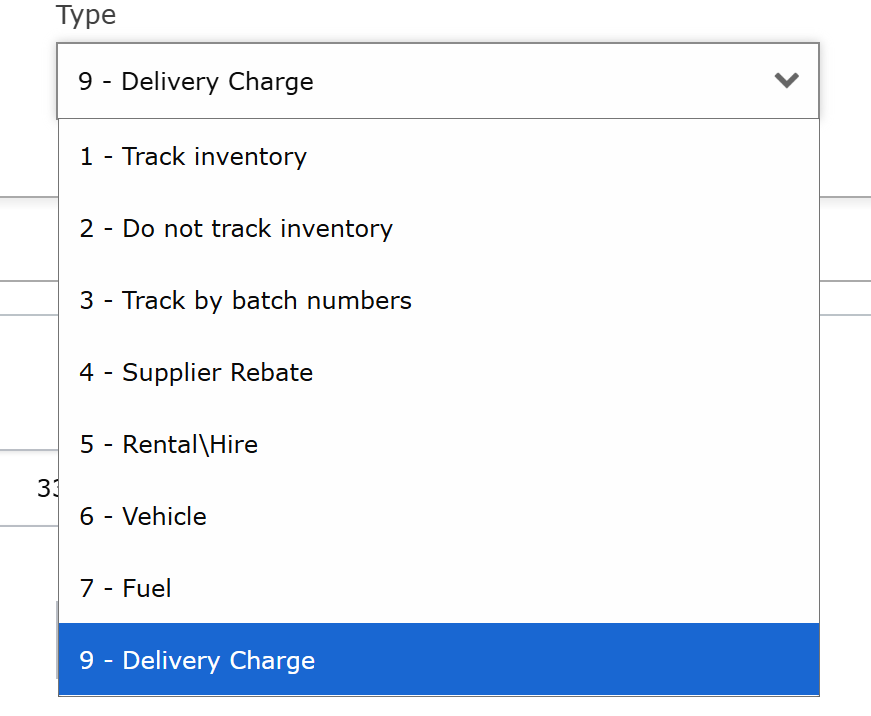
When on the Create Supplier Invoices screen there is an option under Product Details for Additional Charges. The options in this dropdown for Additional Charges should be setup via Products using Type = '9. Delivery Charge'.
To do this you must first create the Delivery Charge Product.
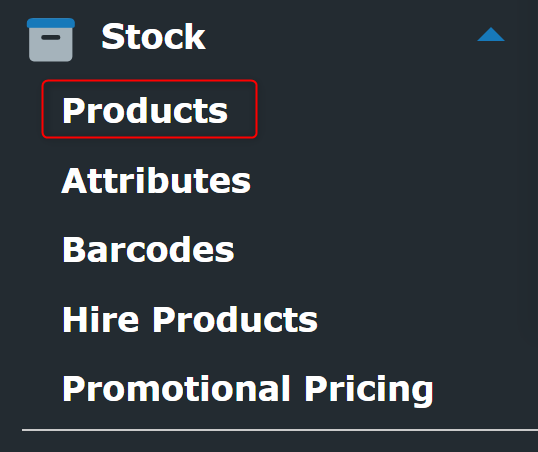
To do this navigate to the Stock options in the menu on the left hand side, and then click Products:
Inside the Products page in the bottom right hand corner click the button + Add Product.
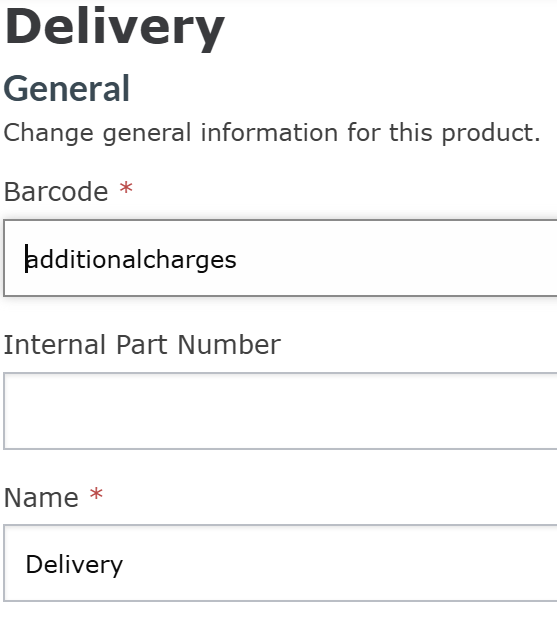
You can then give a Name, and a Barcode to the Product that will act as your Additional Charge.
Once that is done scroll down and change the Type from "1- Track Inventory" to "9 - Delivery Charge", and then click Save in the bottom right hand corner.
Once that is saved you can add it when Creating or Editing any Purchase Invoice by clicking the arrow down in the Additional Charges section.

When you have selected your newly created Delivery Charge you must then select the VAT Rate, enter the Net amount and the VAT amount.

Finally, click Add to add the Delivery Charge to the invoice.
Was this article helpful?
That’s Great!
Thank you for your feedback
Sorry! We couldn't be helpful
Thank you for your feedback
Feedback sent
We appreciate your effort and will try to fix the article