If you have a question, or would like to contact us, we advise doing so by submitting a ticket.
What are the benefits?
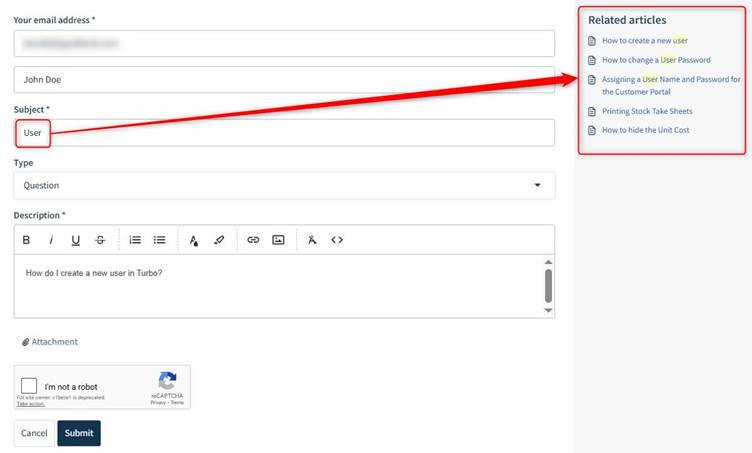
- While submitting a ticket it will suggest related articles (you may get your answer immediately).
- Your ticket gets routed to the correct department quicker.
- You can sign up (free), allowing you to monitor your ticket (we strongly advise you to do this).
Tips/Hints
- If you have a number of questions that relate to different things, we suggest submitting separate tickets for them. This keep the tickets clearer, and easier for both you and ourselves to track.
- For tickets that may require troubleshooting - e.g. say a transaction you entered is not having the effects that you expect -we suggest that you provide in the ticket anything that you feel is relevant to this- this could include screenshots, the transaction in question, the transaction type e.g. Sales Invoice, the result you are expecting and the result you are getting etc.. This helps us troubleshoot it and get the right information to you faster.
How to Sign up
- If you have not already signed up, we advise doing this before you log your ticket.
- Go to https://turboinventory.freshdesk.com/support/home
- Click Sign Up.
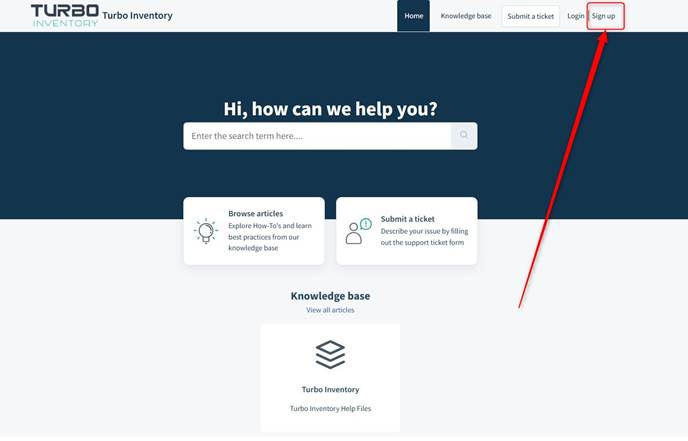
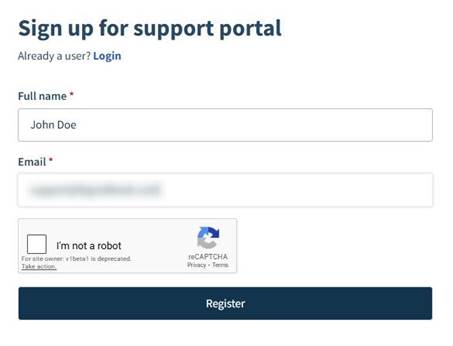
- Enter your details and click Register.
How to submit a ticket
- Go to https://turboinventory.freshdesk.com/support/home
- Double check that you are signed in/logged in, if not, simply click the Login button (beside Sign up) and login.
- Click Submit a ticket.
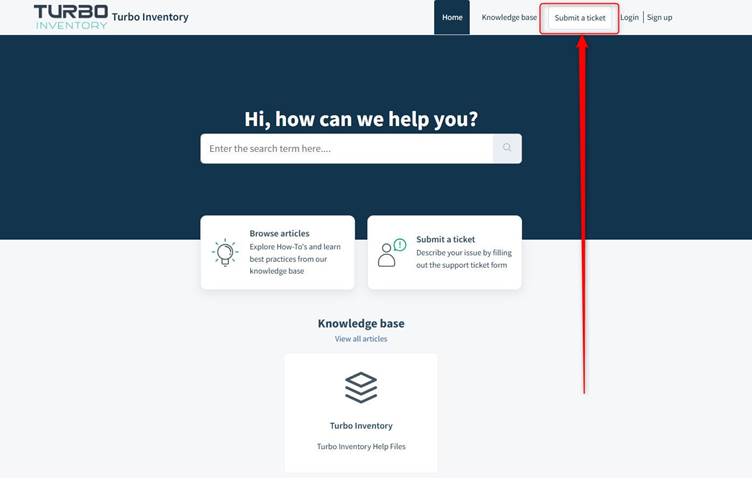
- Enter the relevant details.
- When you type something into the Subject box, it suggests related articles which you can click into there and then. This may provide your answer immediately.
- You can add attachments to your ticket if you like.
- Click Submit.
Was this article helpful?
That’s Great!
Thank you for your feedback
Sorry! We couldn't be helpful
Thank you for your feedback
Feedback sent
We appreciate your effort and will try to fix the article